From Alerts to Analysis
Mineral Watch automatically monitors the OCC, links filings to your properties, maps your wells, and extracts intelligence from your documents — whether you manage 10 tracts or 10,000.
Add Properties Your Way. We Build the Rest.
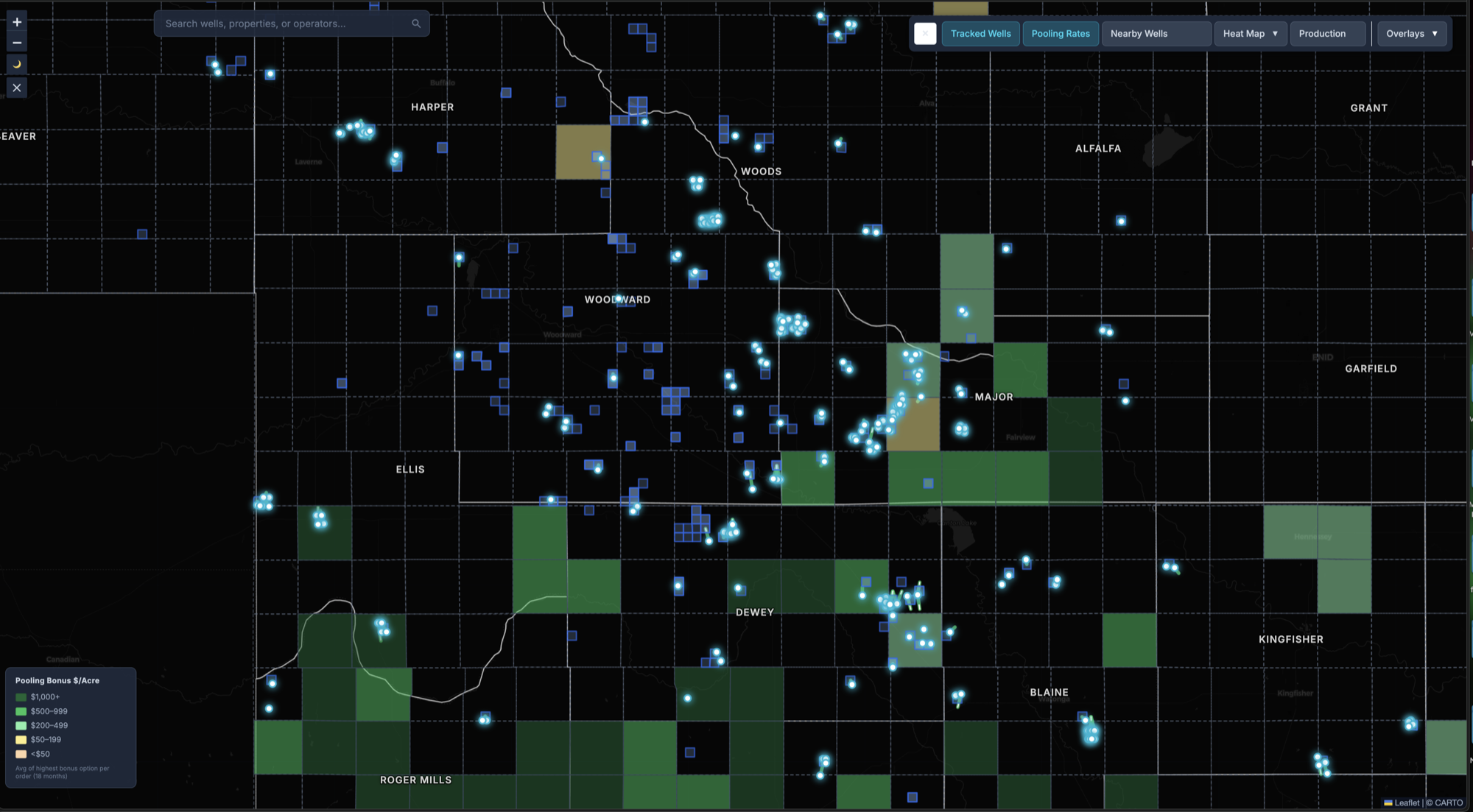
Enter a section-township-range, upload an API or well name with a location, or discover new wells straight from the map and nearby drilling permits. Mineral Watch maps your property, surfaces historic and active wells, identifies current operators, and begins monitoring for new activity.
- Add by legal description, API number, well name, or directly from the map
- Designed to surface wells across your tracked sections
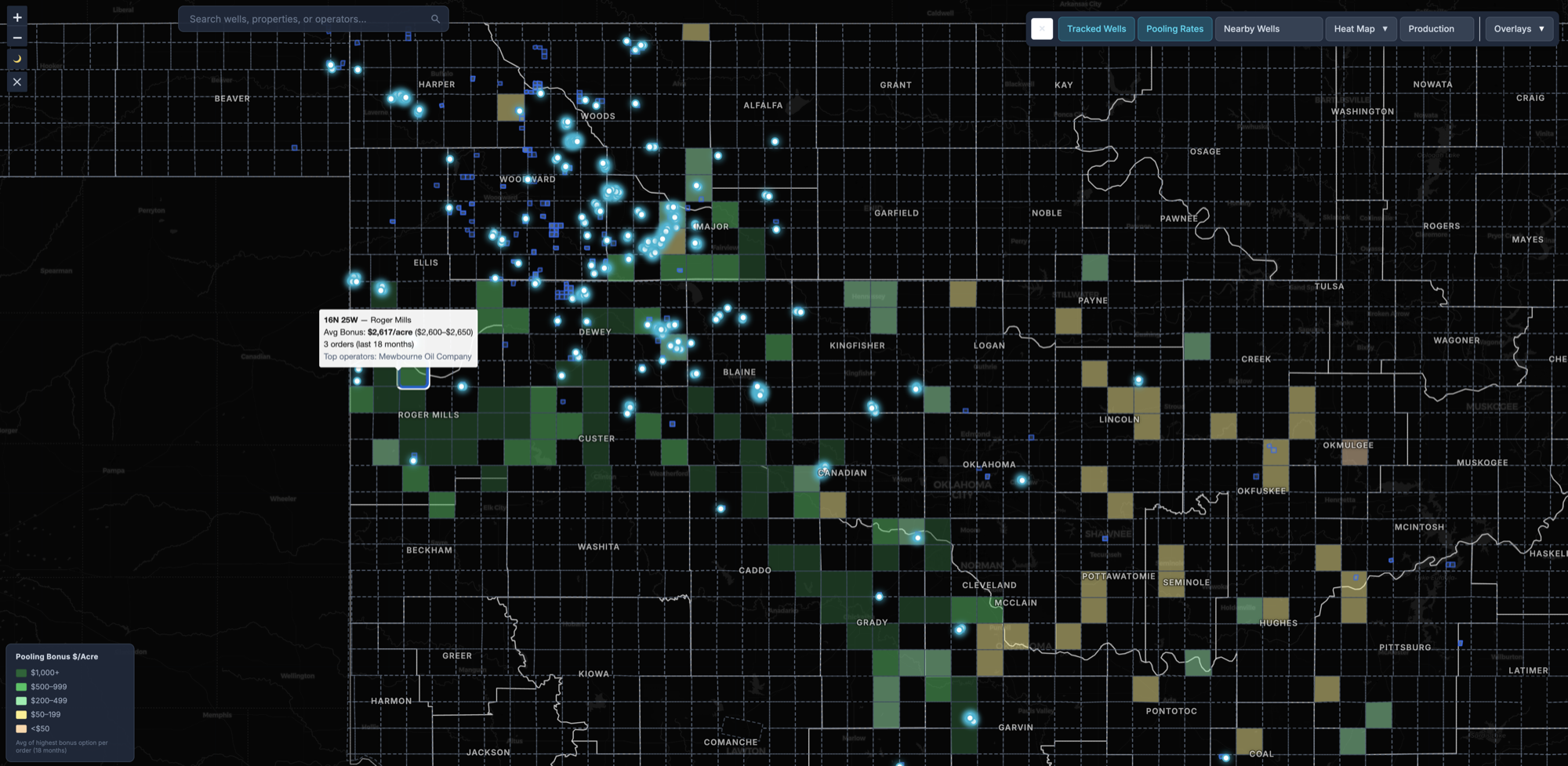
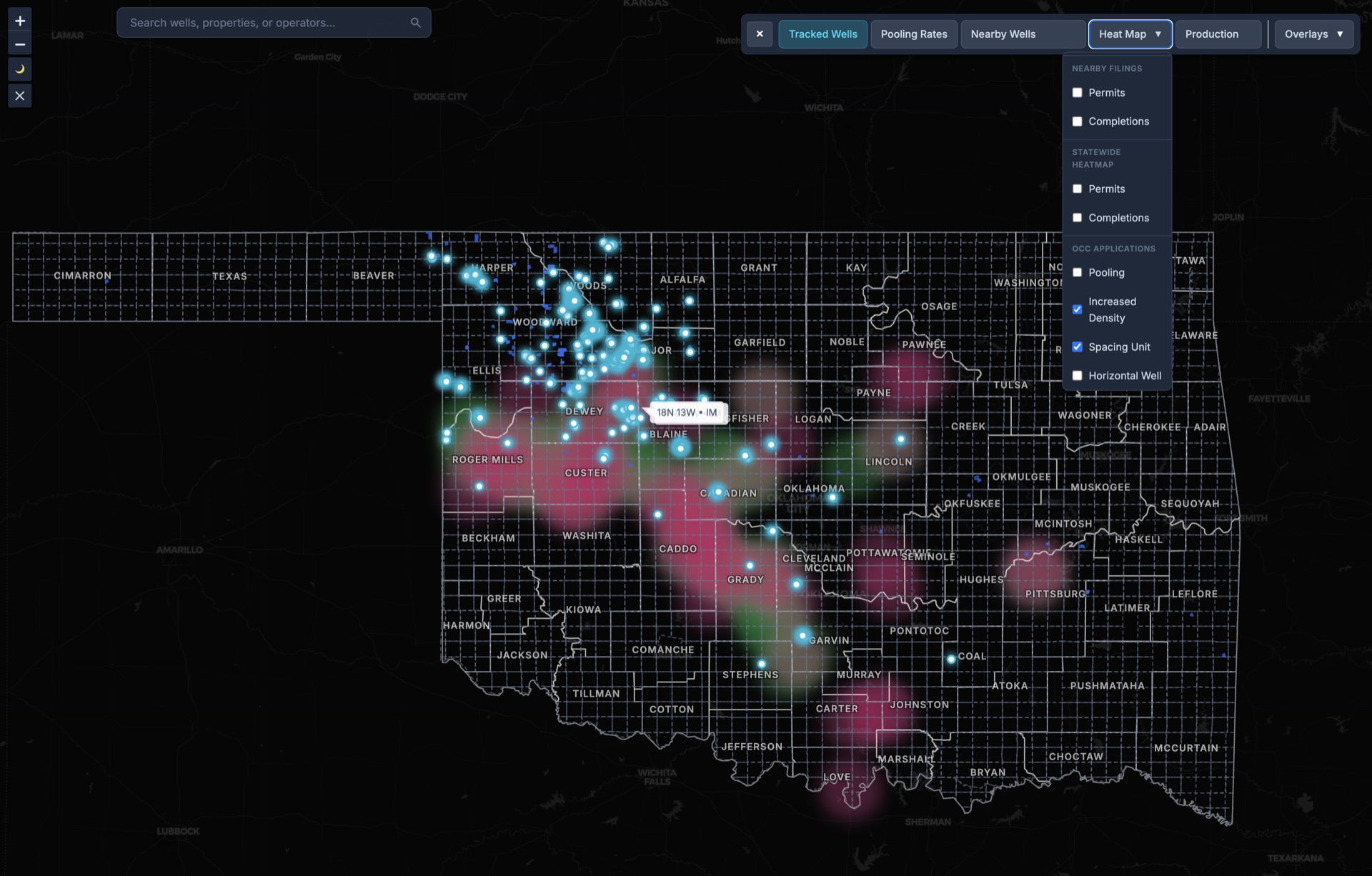
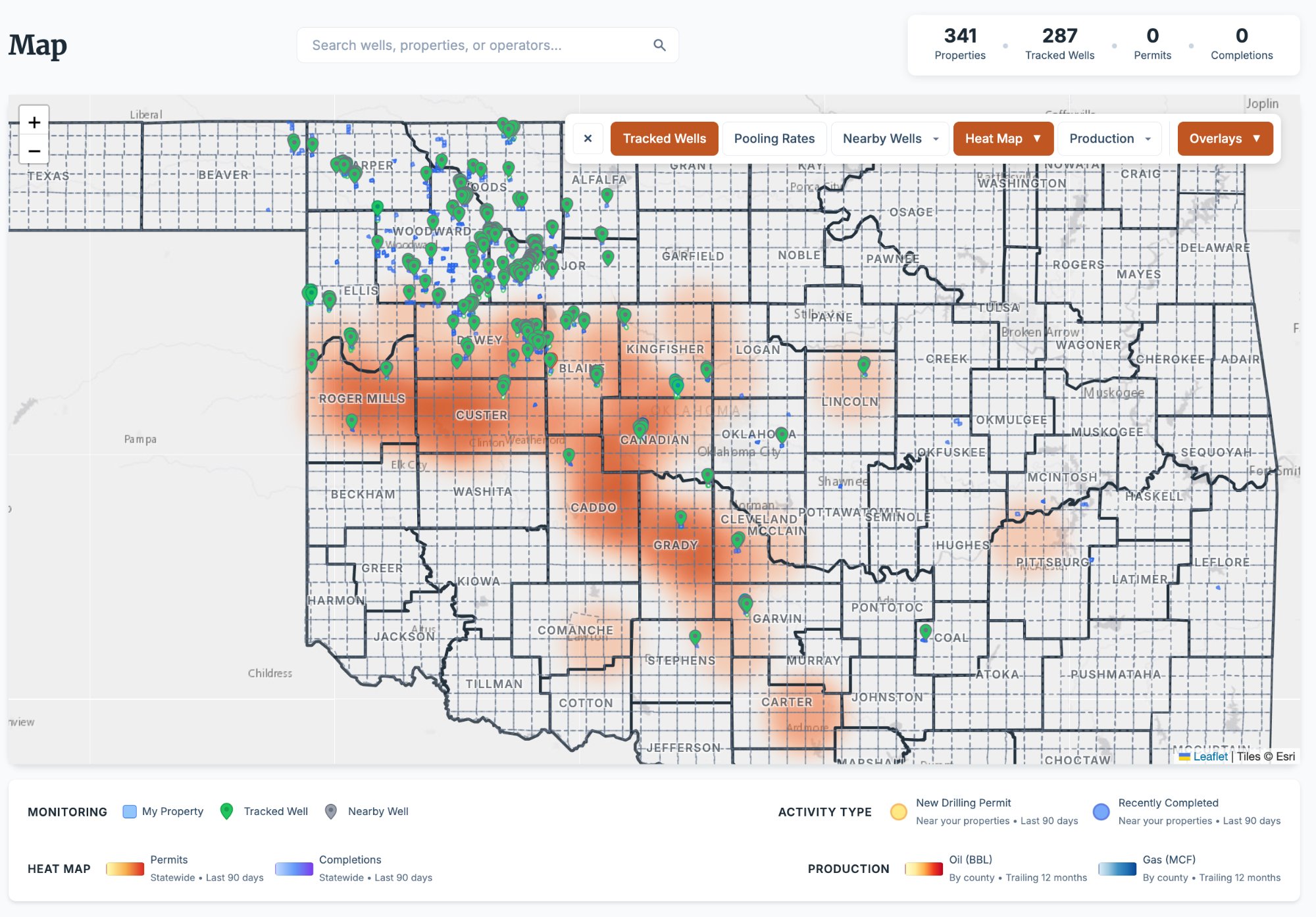
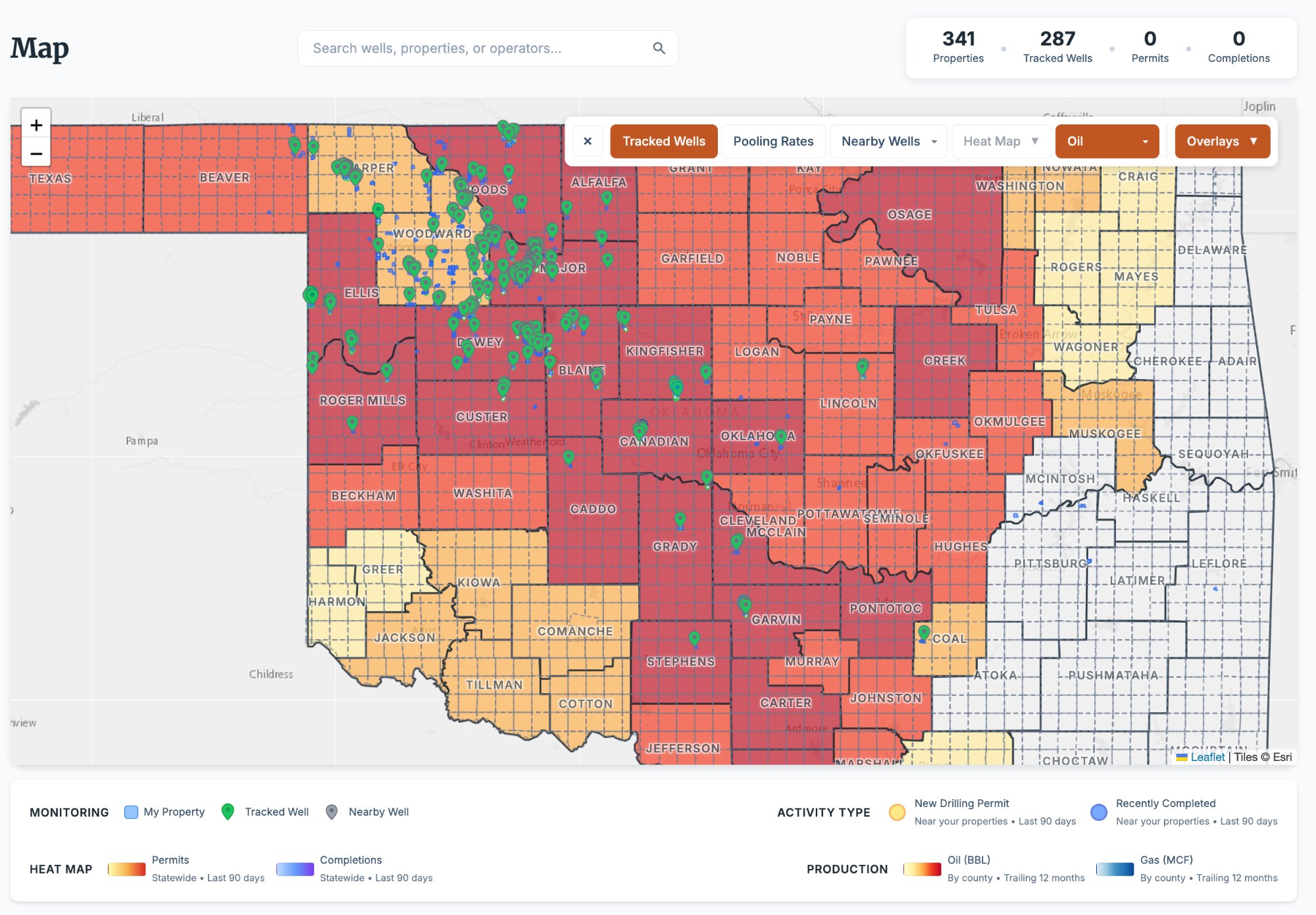
- Instant interactive mapping with lateral path overlays; statewide heat maps, pooling bonus rates and production by county are included with Professional
- Searchable portfolio with filters, notes, acreage, and entity tracking
- Operator identification with indexed profiles across the state
- Bulk import for portfolios of any size (Standard and up)
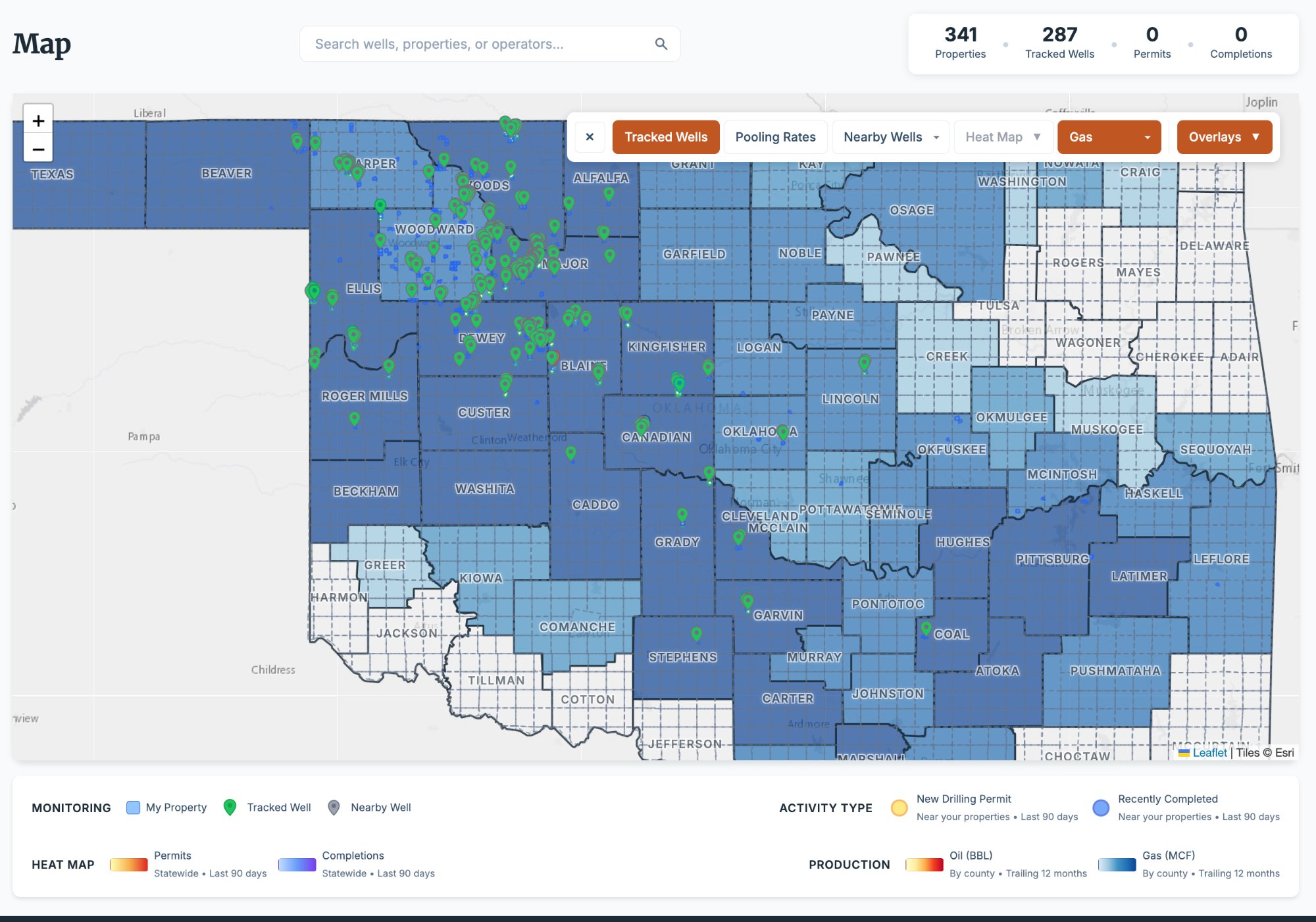
Every Well. Every Neighbor. Every Barrel.
Mineral Watch surfaces wells in and around your properties — not just the ones on your sections. Track production, formation targets, operator history, and well status across your area of interest with one click.
- 287 tracked wells with operator contacts and OCC filing counts
- Full production history with oil and gas volumes by month and lifetime
- Formation and target depth data on tracked wells
- Linked properties, documents, and OCC filings on every well
- One-click tracking: add any well to your monitored portfolio
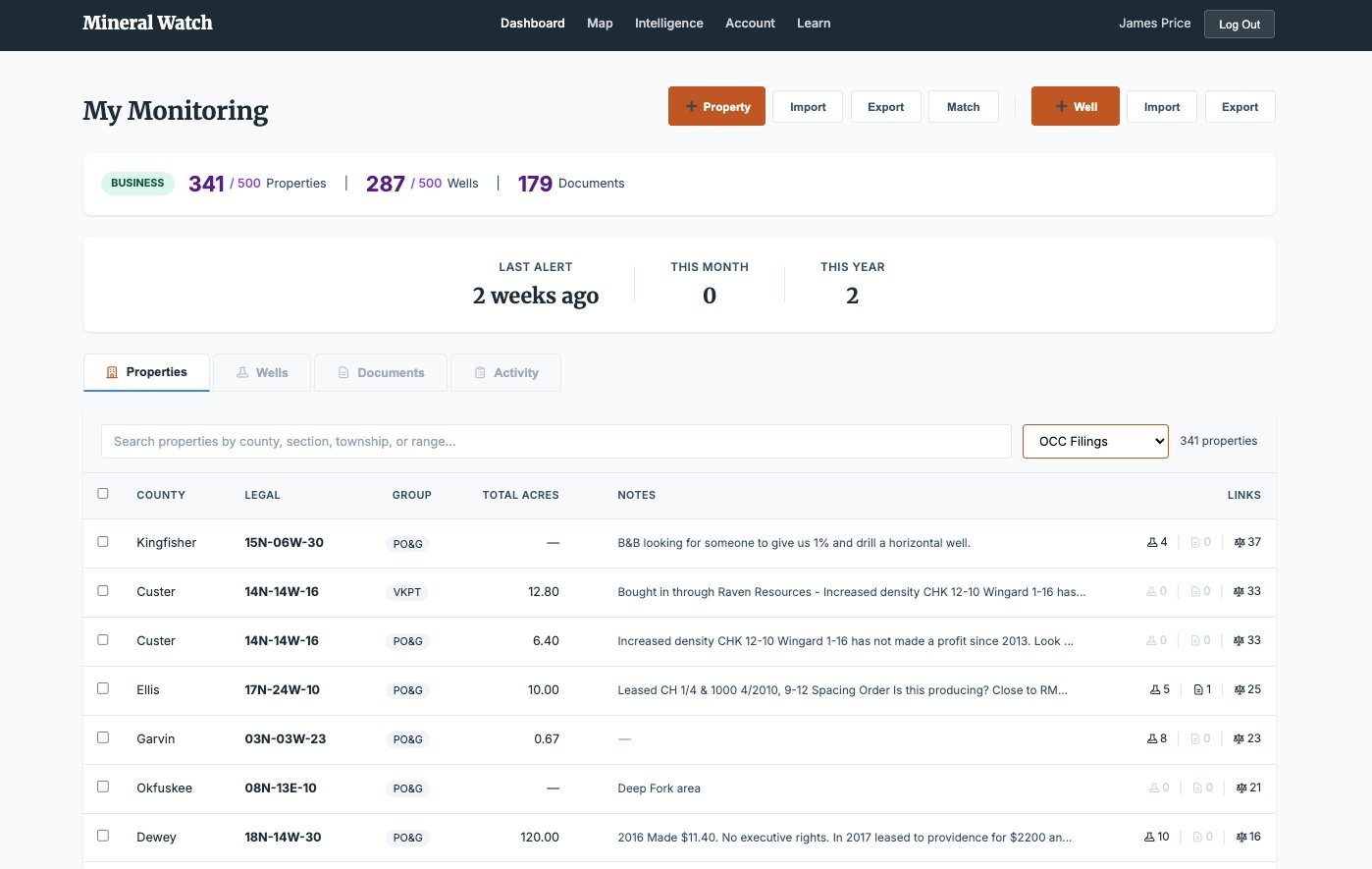
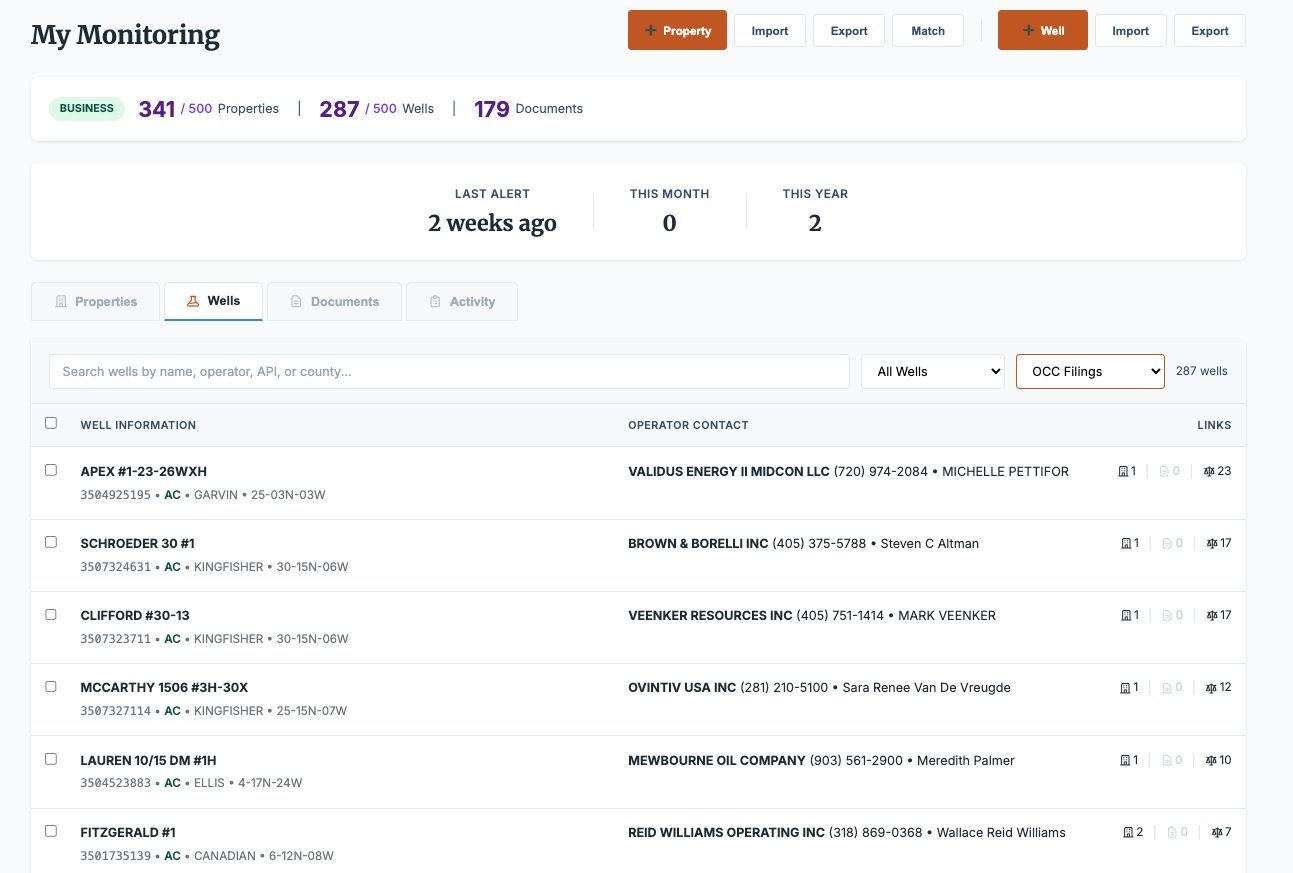
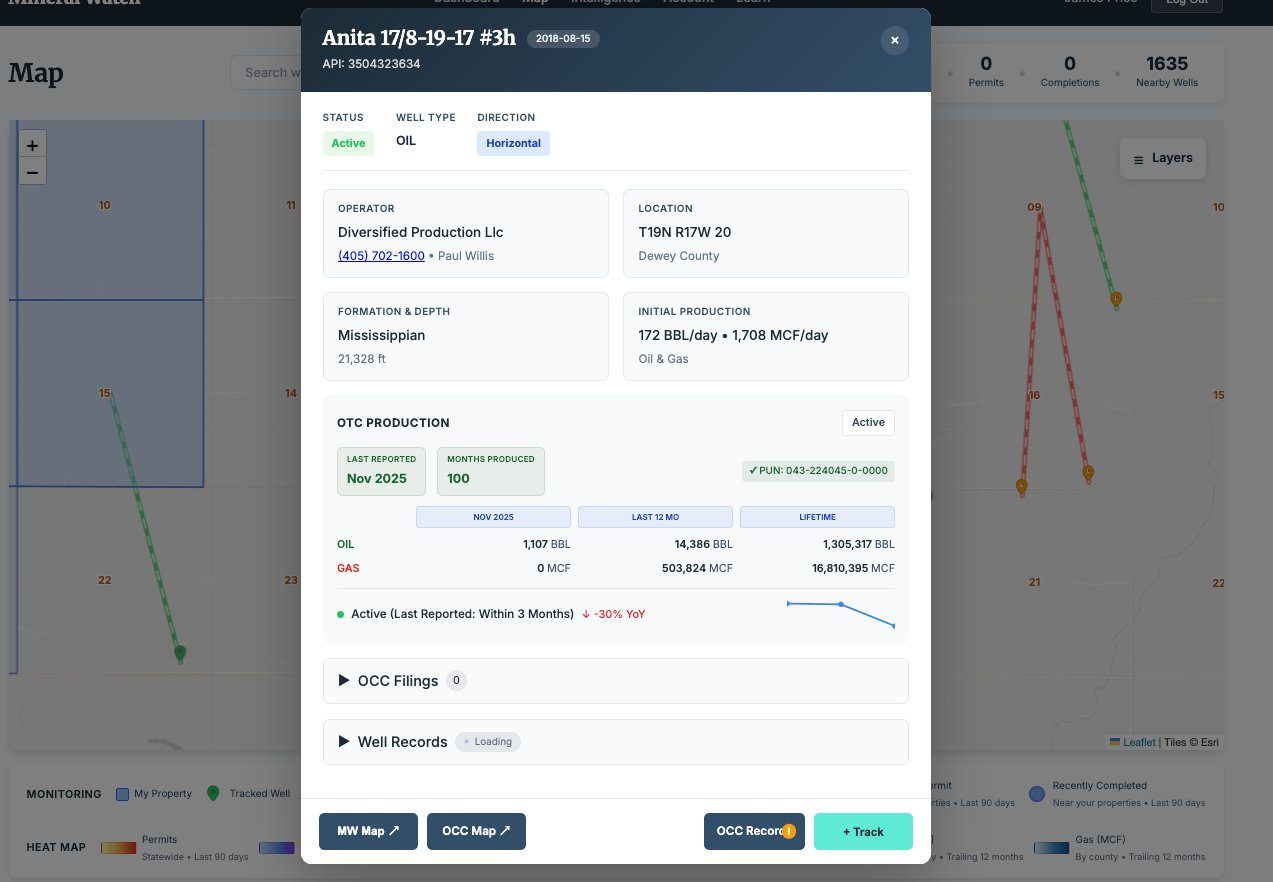
Click Any Property, Well, or Operator. See Everything.
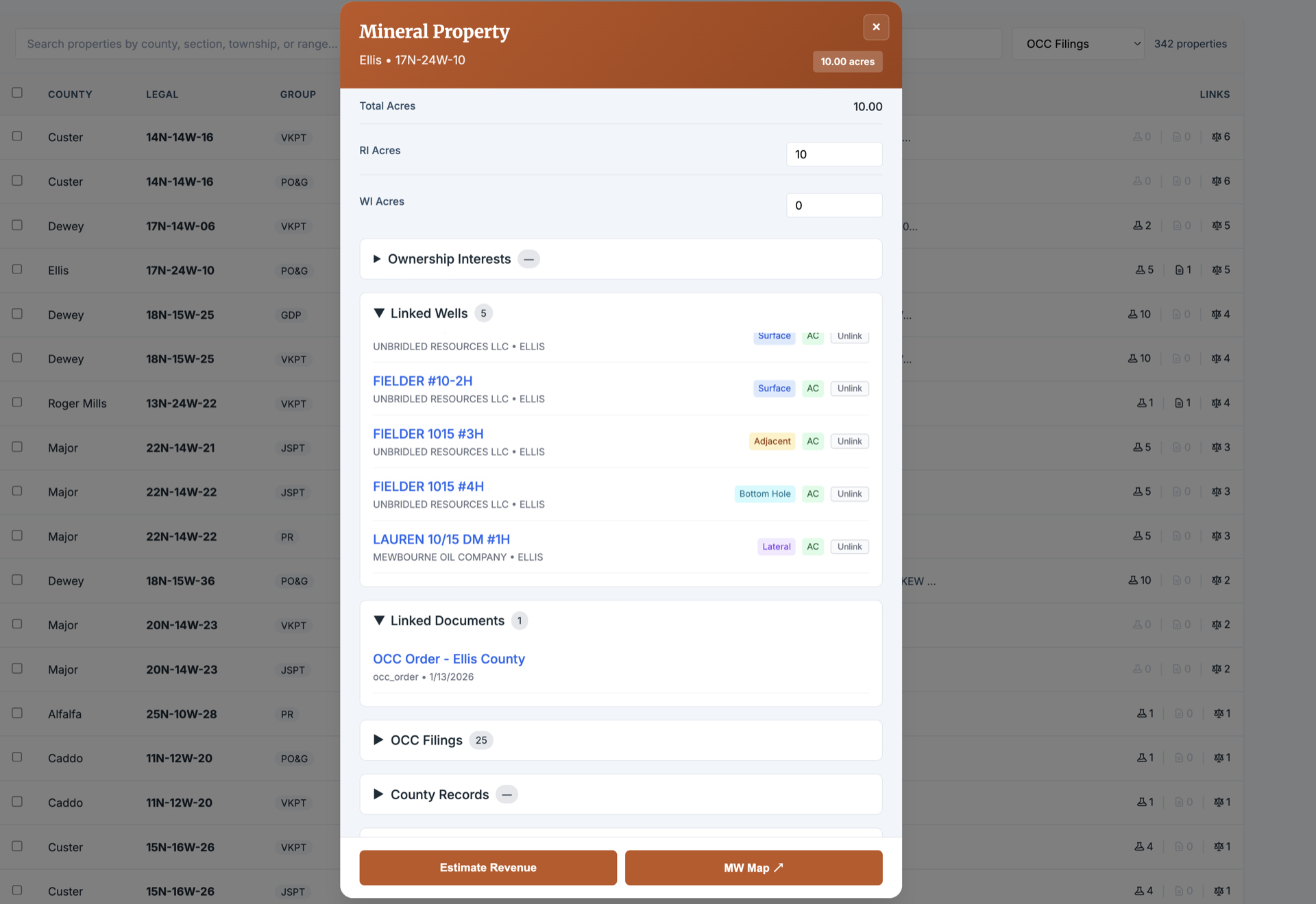
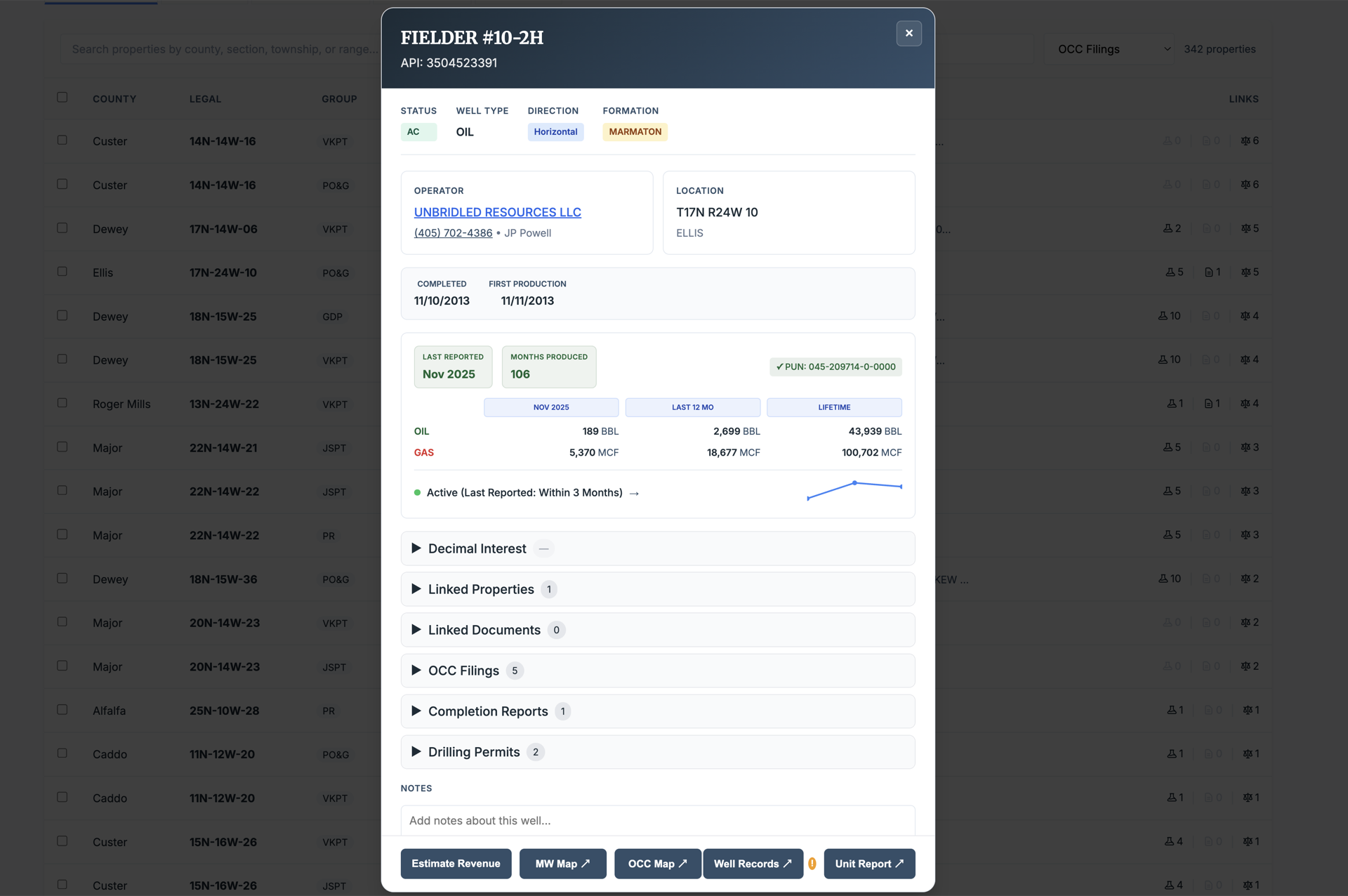
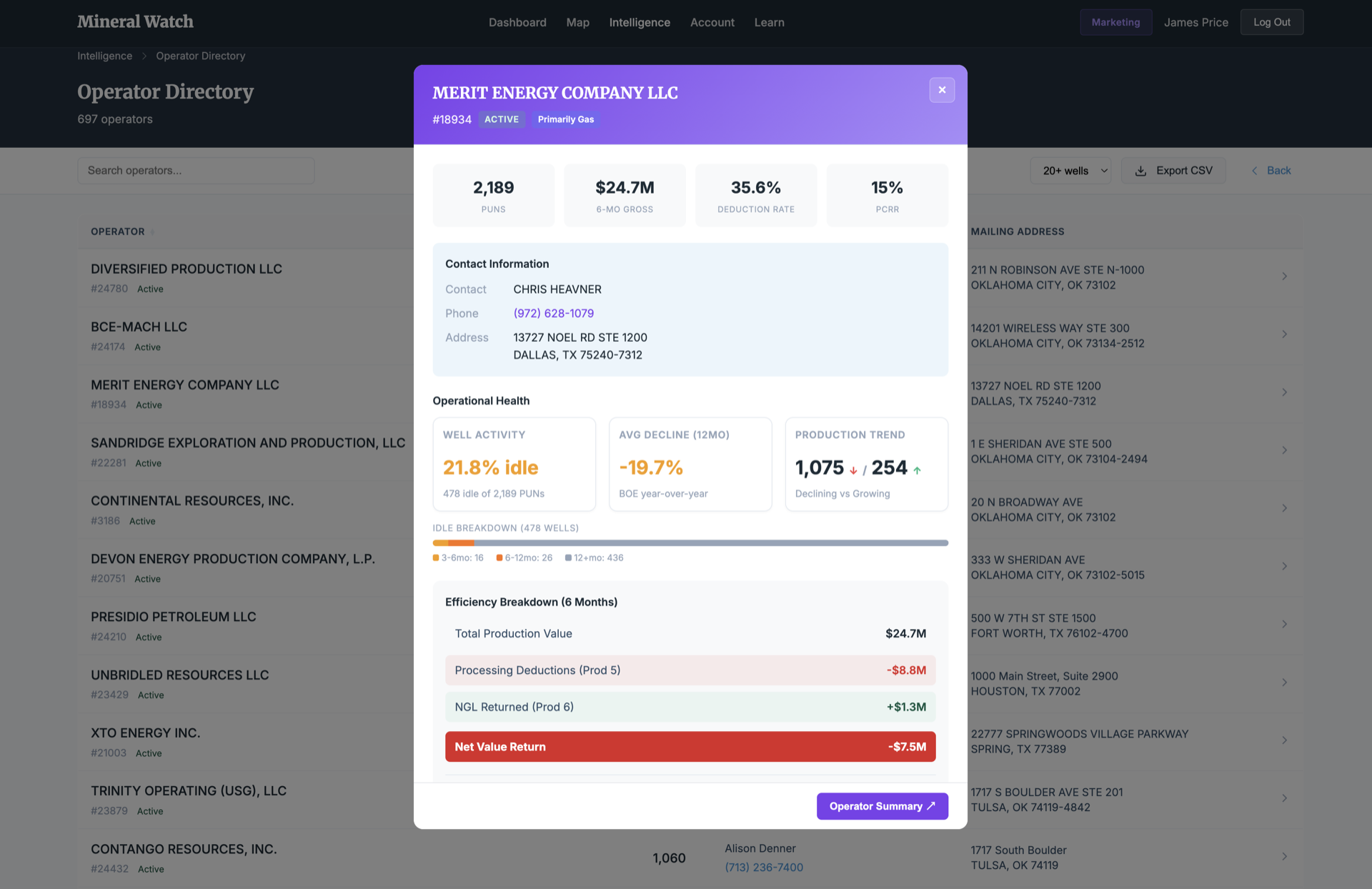
Every property, well, and operator in your portfolio has a full detail view — acreage, legal description, linked wells, OCC filings, adjacent activity, production data, operator contacts, deduction rates, and linked documents. No more flipping between tabs and spreadsheets.
- Property panels: acreage, RI/WI breakdown, linked wells, OCC filings, and adjacent activity
- Well panels: production by month and lifetime, operator contacts, formation data, and status
- Operator profiles: well counts, deduction rates and gas purchaser analysis (Standard and up); the operator efficiency index is included with Professional
- Direct links to OCC map, well records, and unit reports
Seven Filing Types. Zero Manual Searches.
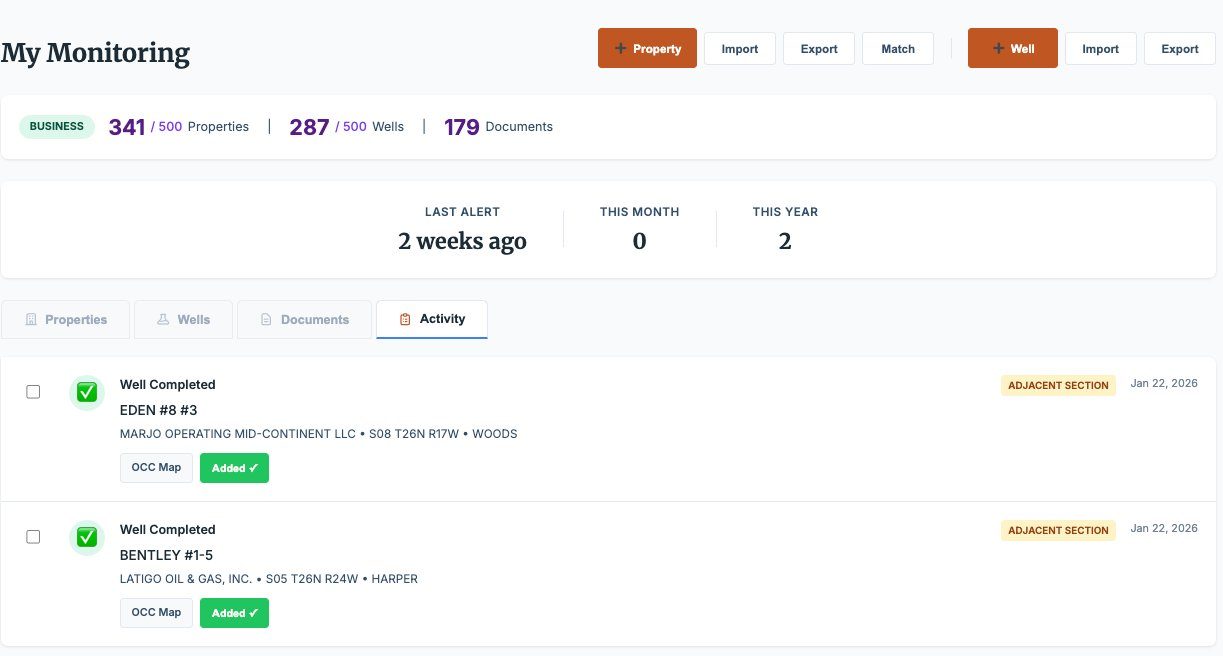
We scan the Oklahoma Corporation Commission daily for new drilling permits, completions, pooling orders, spacing applications, increased density applications, location exceptions, and more. When a filing touches your properties, we fetch the document, match it to your wells and properties, and alert you.
- Drilling permits, completion reports, and increased density applications
- Pooling orders, spacing orders, and location exceptions
- Documents auto-fetched and matched to your properties and wells
- Plain-English summaries alongside direct PDF links to official filings
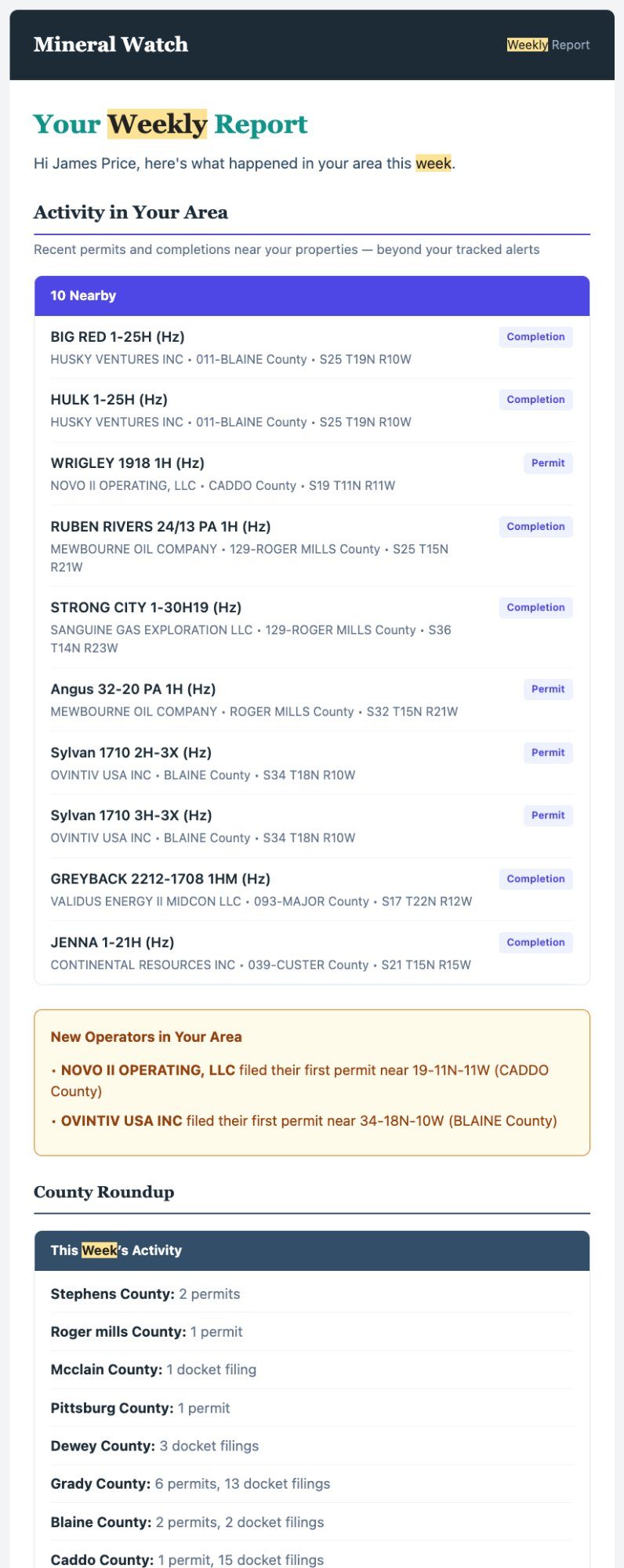
- Email alerts delivered as activity happens
Horizontal Wells Don't Respect Section Lines.
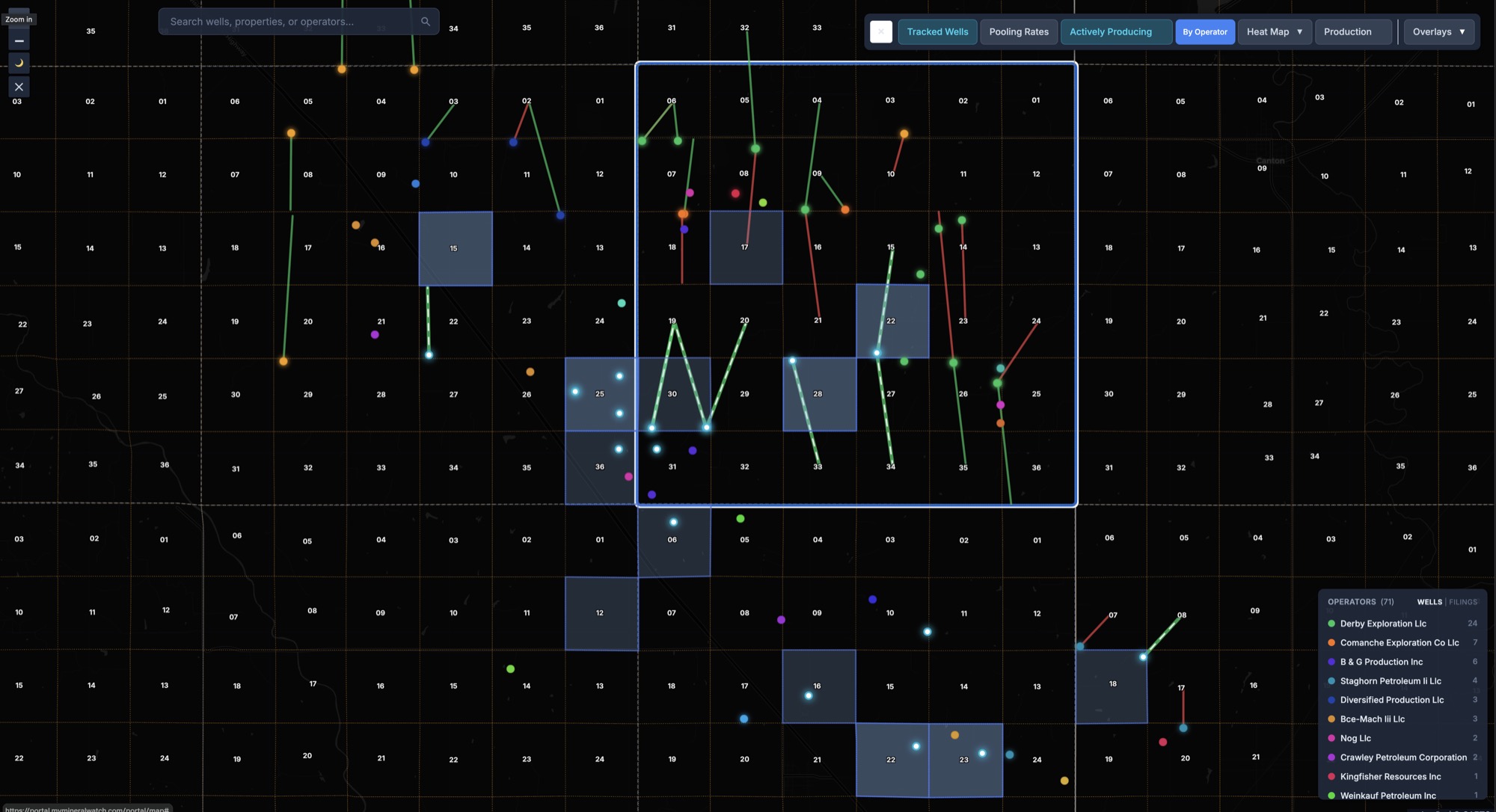
A well permitted two sections away can bottom-hole under your minerals. Mineral Watch monitors your section plus the eight surrounding it — and tracks horizontal wells from bottom hole to lateral path, so you can see where a wellbore may cross into your interests.
- Full 9-section monitoring radius around every tracked property
- Bottom hole to lateral path tracking for horizontal wells
- Operators active near your land visible on your map (Standard and up)
- Alerts distinguish between direct-hit and adjacency filings
From Filing to Full Extraction in Seconds.
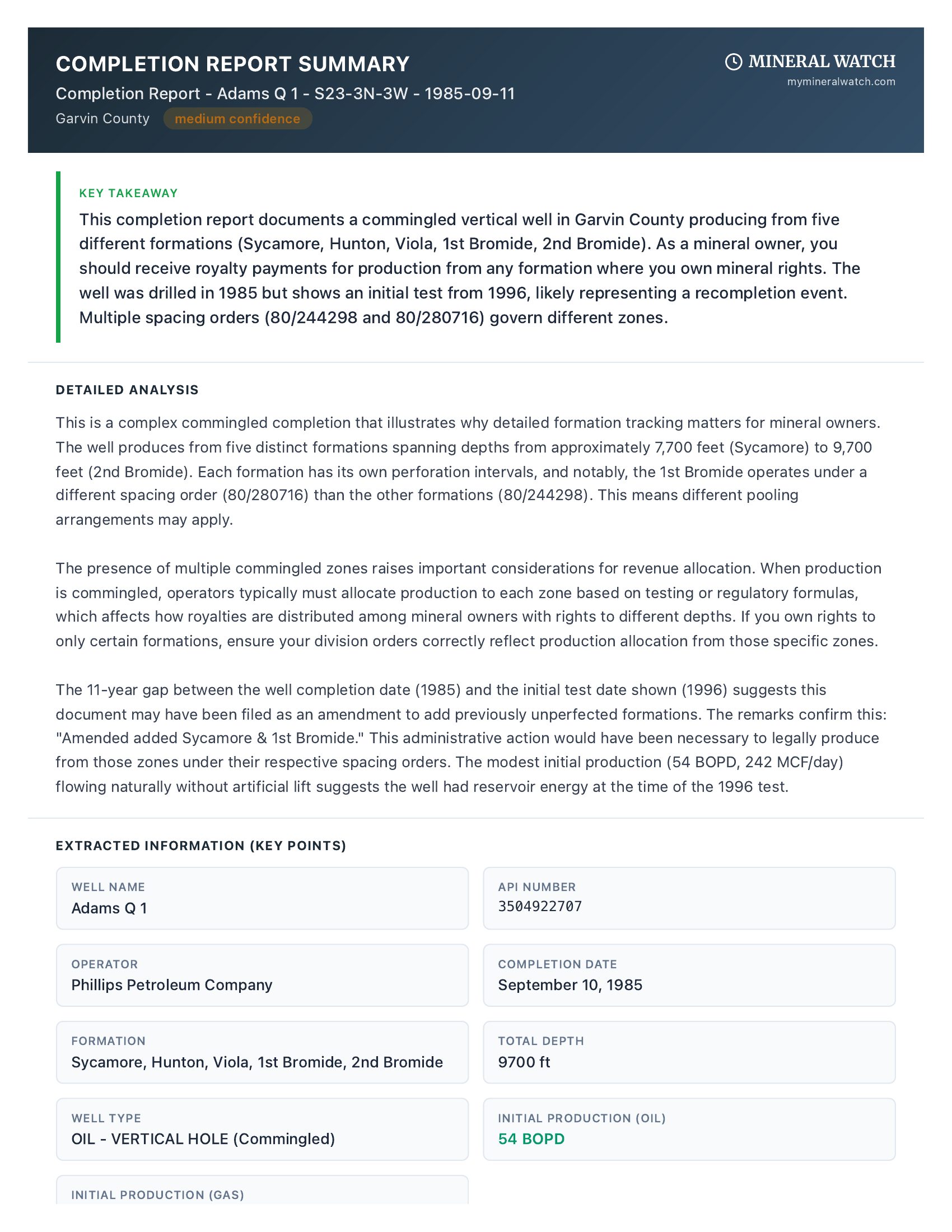
When a new OCC document arrives, you don't have to read through pages of legal boilerplate. Press a button and Mineral Watch extracts the key data — operators, formations, legal descriptions, lateral paths, and relevant order numbers — and adds it to your portfolio record.
- AI-powered extraction of permit and order details
- Structured data output: operator, formation, locations, spacing references
- Extracted data helps enrich your property and well records
- Original PDF preserved and accessible alongside extracted data
Not OCR. Not Summaries. Real Analysis.
Other platforms scan your documents with OCR and hand you a summary. Mineral Watch is designed to understand context. Our AI scans for potential anti-owner language in your leases, helps identify chain of title relationships across your deeds, surfaces potential operator intent in pooling orders, and highlights risk factors — then feeds those insights into your portfolio reports.
- Scans for potential anti-owner language in lease agreements
- Helps identify chain of title relationships across deeds
- Surfaces potential operator intent and risk factors in pooling orders
- Insights feed into your portfolio reports for further review
- ~30 mineral document schemas supported and growing
- Document extraction credits included with your subscription
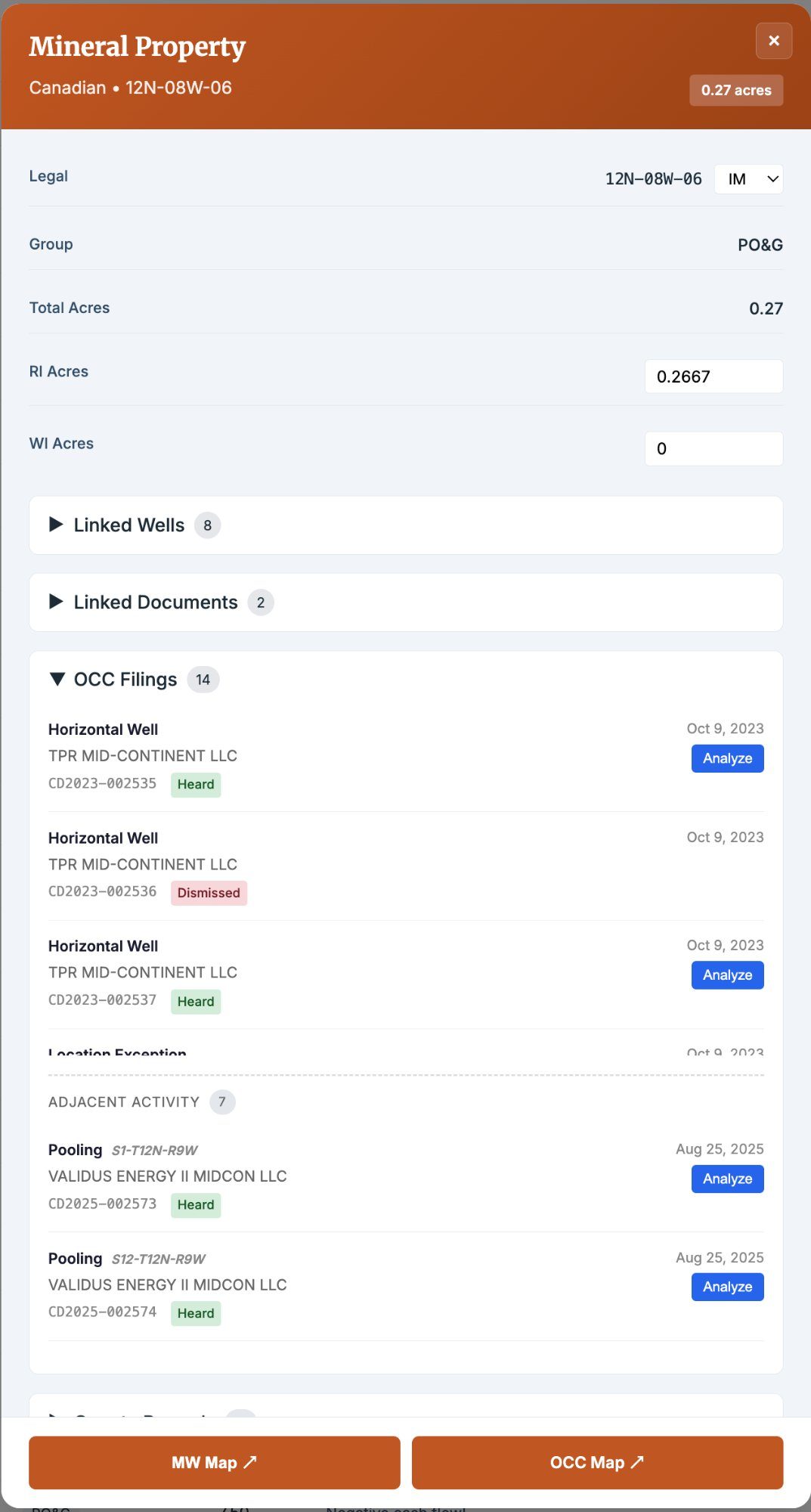
Documents Don't Live in Folders. They Live on Properties.
Documents you upload and filings we fetch from the OCC are matched to the relevant property, well, and operator. Division orders, lease agreements, title opinions, check stubs, pooling elections, royalty statements, assignments — all searchable by property, well, type, or date.
- Smart matching between documents, properties, and wells
- Search and filter across your entire document library
- OCC filings and user uploads organized in one place
- Monthly credits reset on the 1st of each month; annual bonus and purchased credits carry over
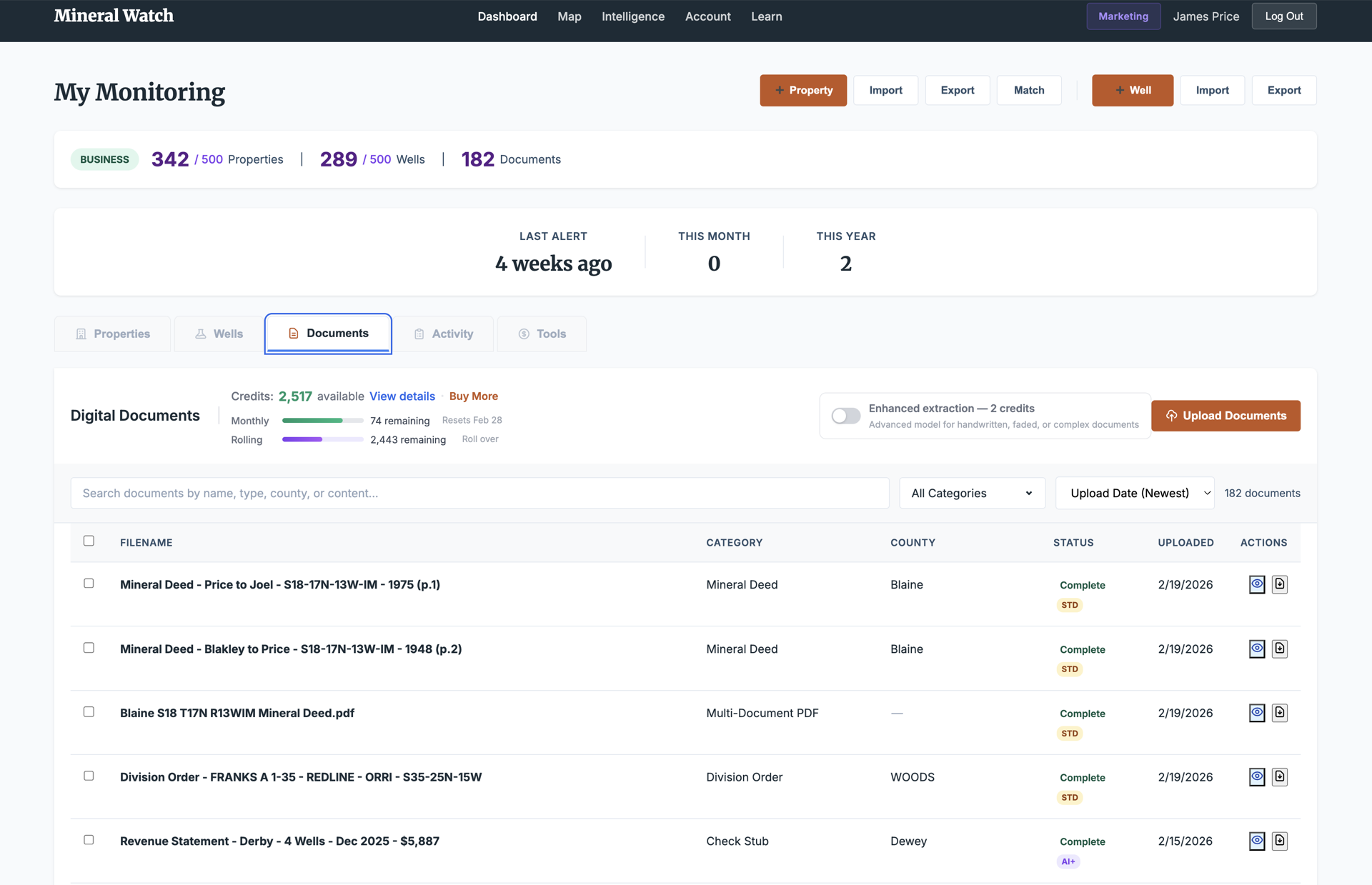
My Portfolio. My Market. The Landscape.
Every report in Mineral Watch approaches your data from three perspectives: your specific properties, your local market area, and statewide trends. Understand what's happening on your minerals, how your area compares, and where the market is heading — from section level to county level to all 77 counties.
- My Portfolio: production, decline curves, deductions, and well status for your tracts
- My Market: pooling comparisons, operator activity, and drilling trends in your area
- Market Research: statewide benchmarks, county-level analytics, and township-level pooling data
My Markets and Market Research are included with Professional.
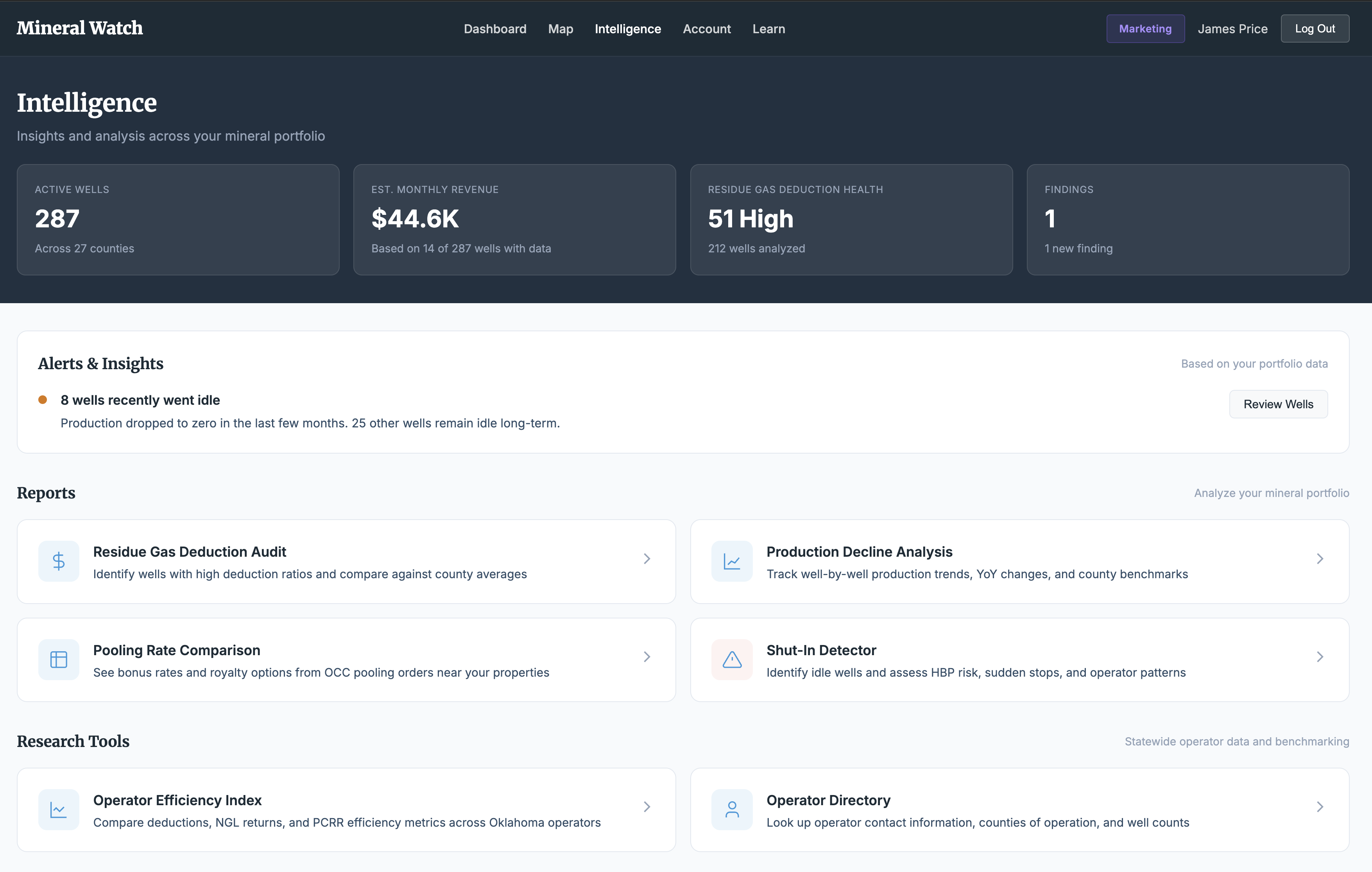
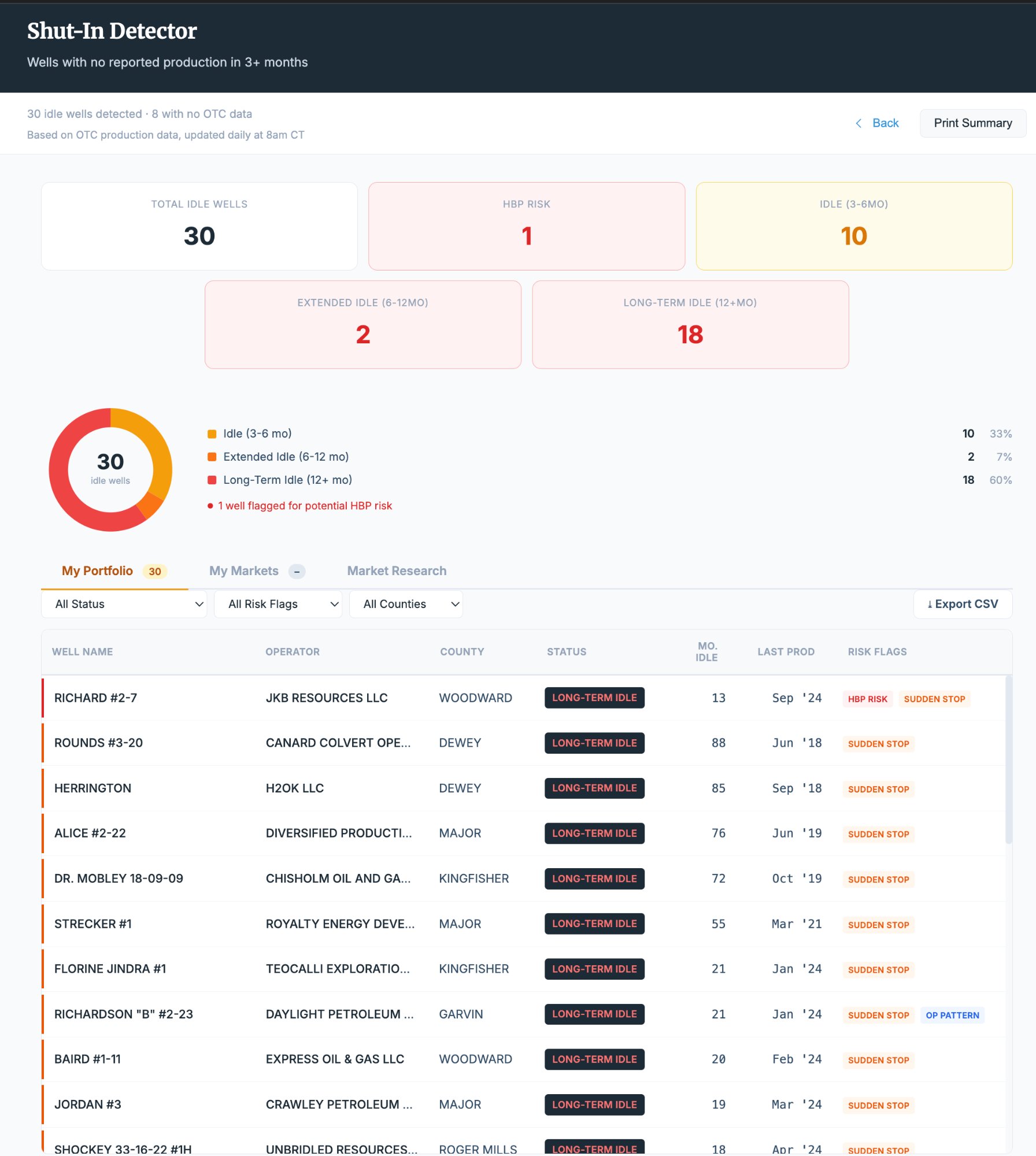
Know When Wells Go Quiet.
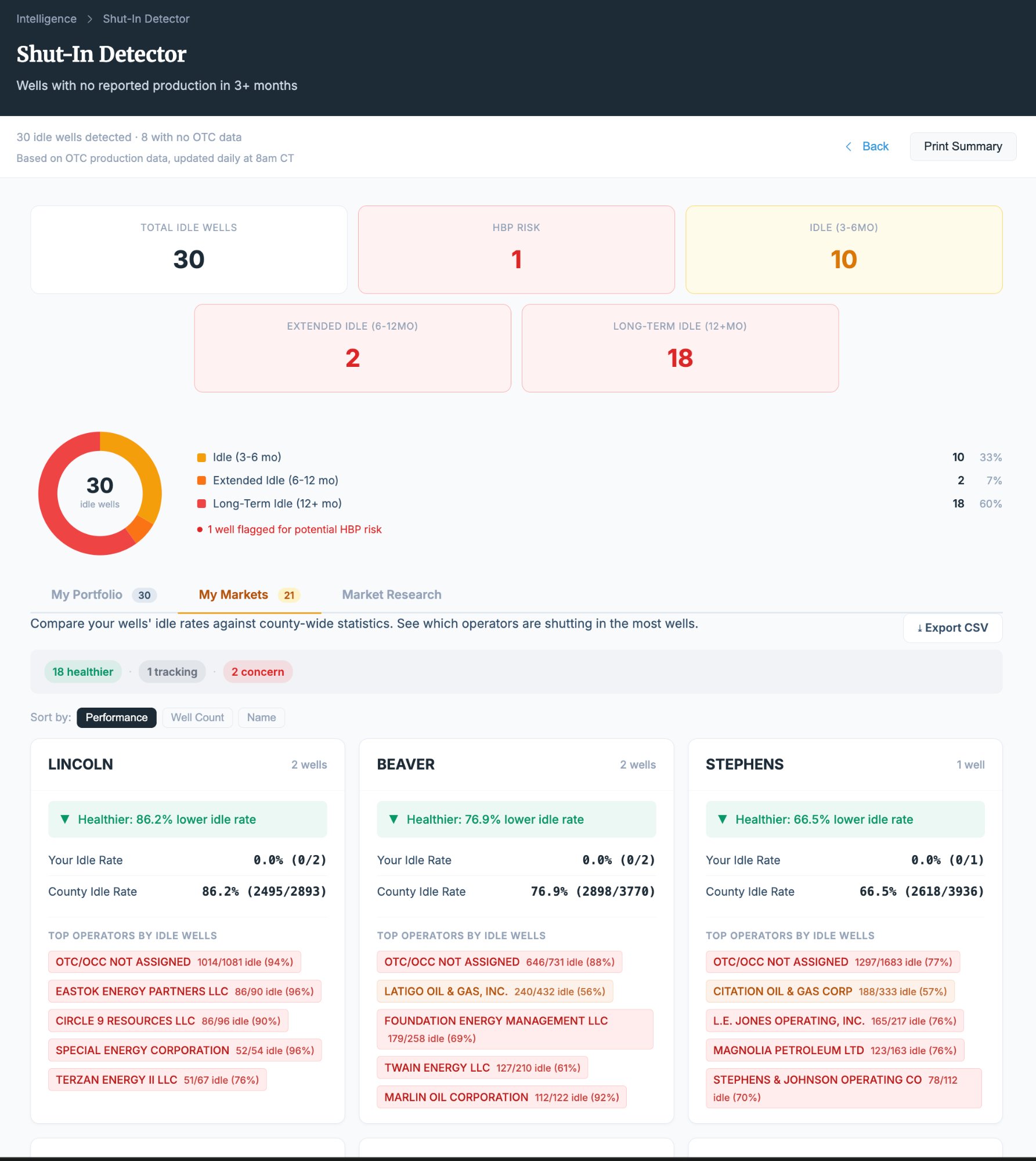
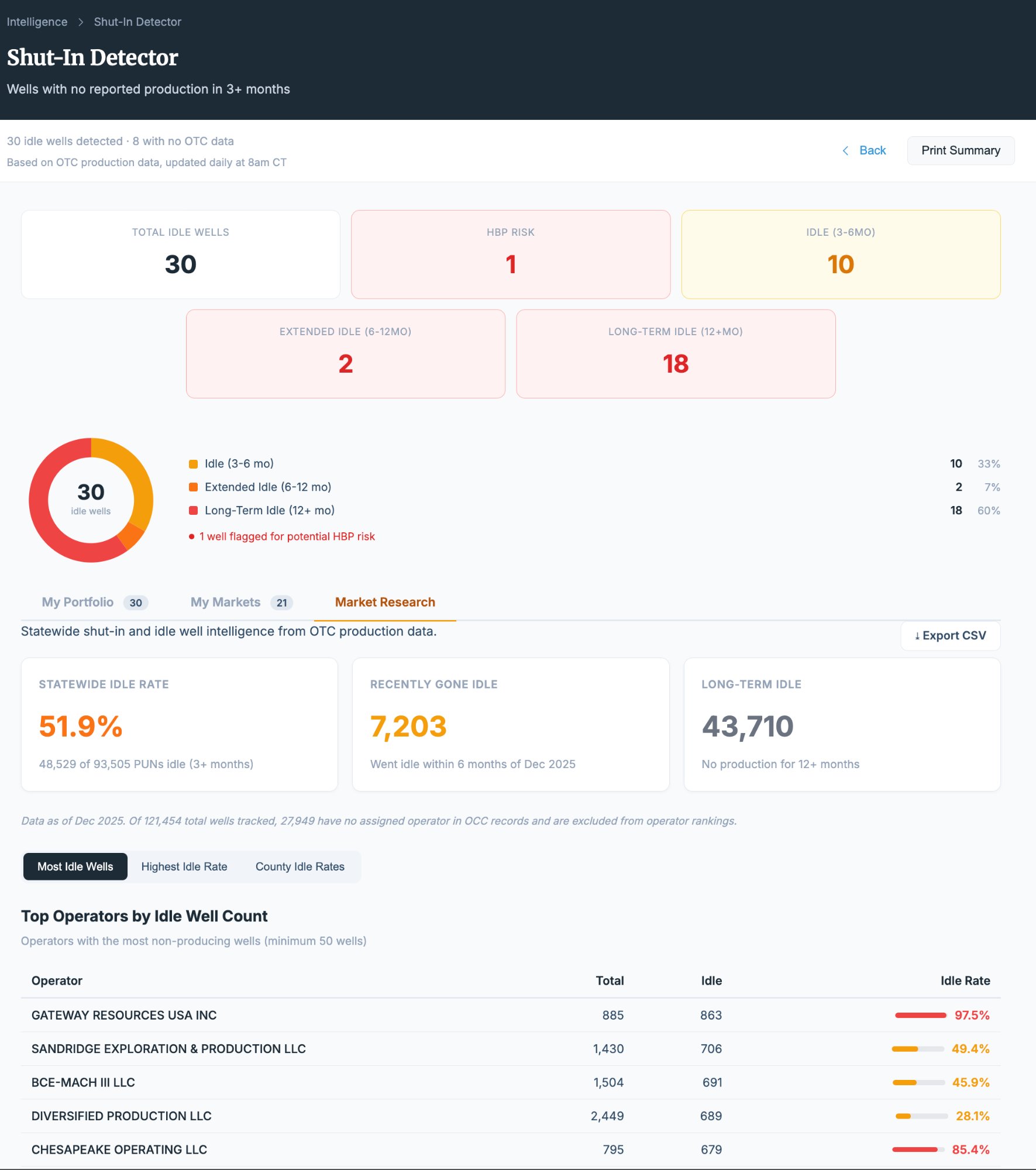
Mineral Watch tracks production reporting across your portfolio and flags wells that have gone idle. See how long a well has been shut-in, compare against its production history, and identify patterns across your portfolio, your market area, and the broader landscape.
- 30 idle wells identified across three portfolio tiers
- Portfolio view: shut-in wells on your specific properties
- Market view: idle wells across your tracked counties (Professional)
- Research view: statewide shut-in trends and benchmarks (Professional)
Track Every Barrel. Spot Every Trend.
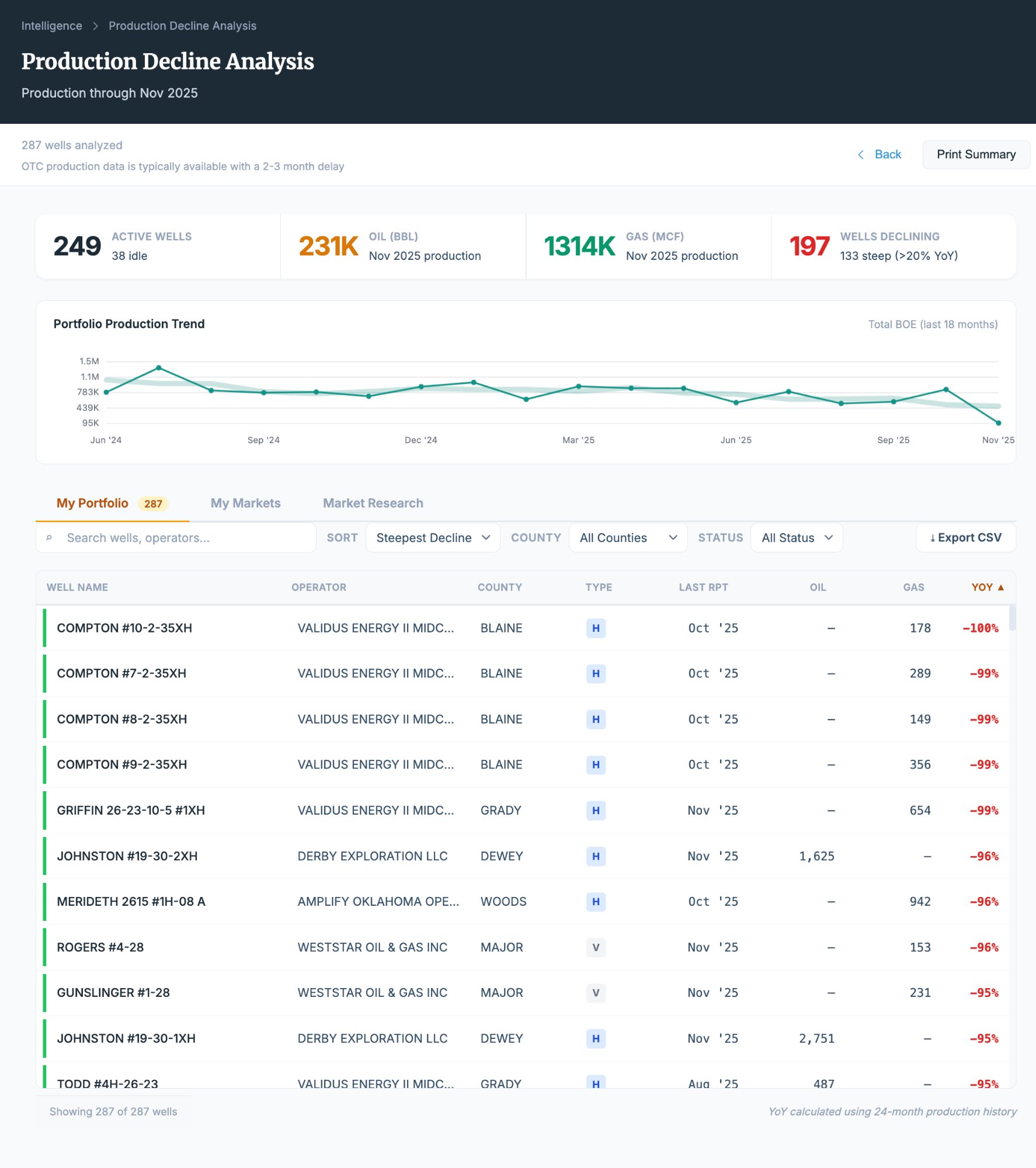
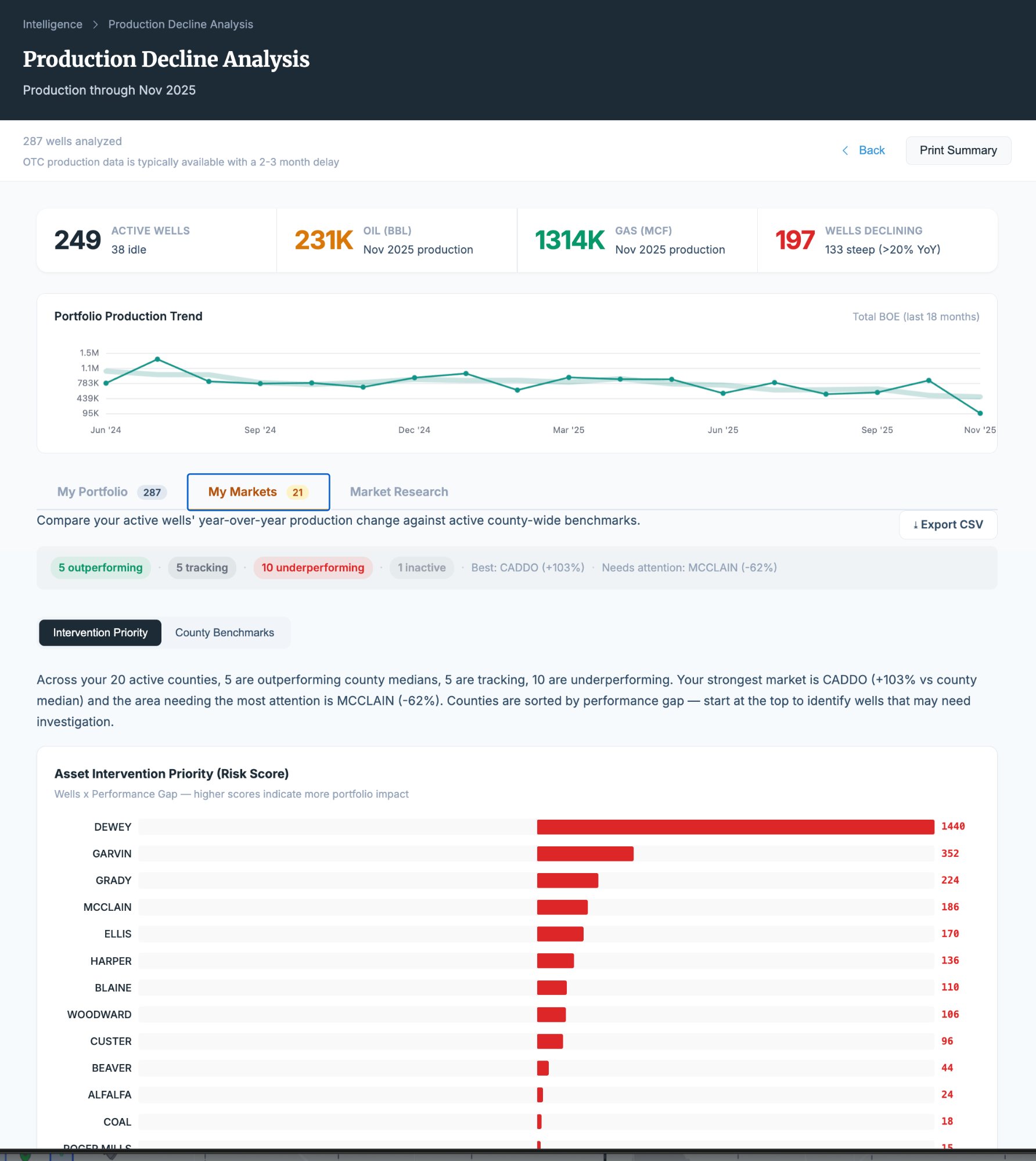
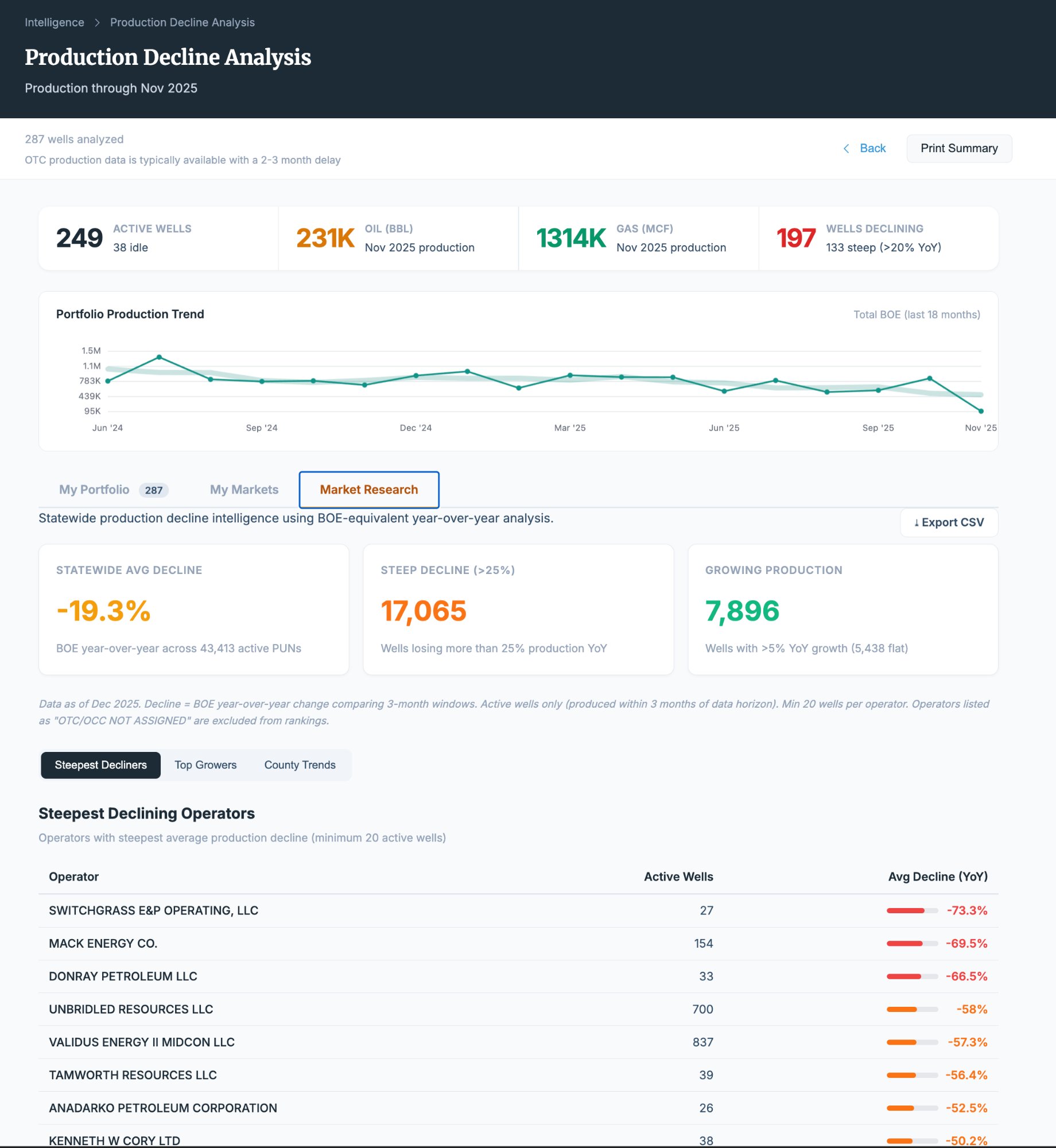
Production decline analysis tracks output over time across your wells, identifies wells that may need intervention, and benchmarks your portfolio against market averages. See which wells are outperforming and which are falling behind — from your specific tracts to statewide.
- 249 active wells tracked with 231K BBL oil production
- Portfolio view: decline curves on your own wells
- Intervention Priority: wells flagged for potential action
- Research view: market-wide production trends and comparisons (Professional)
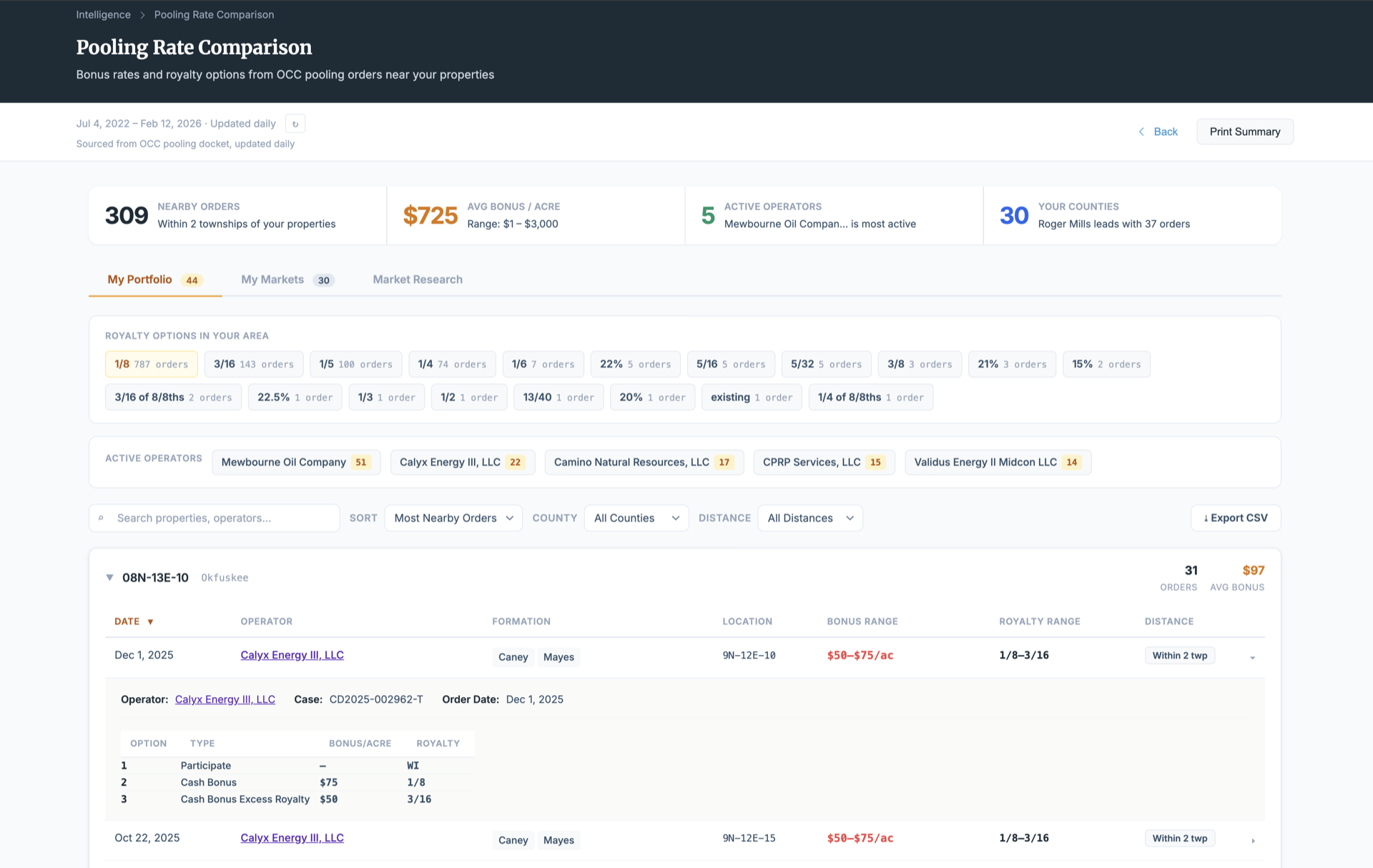
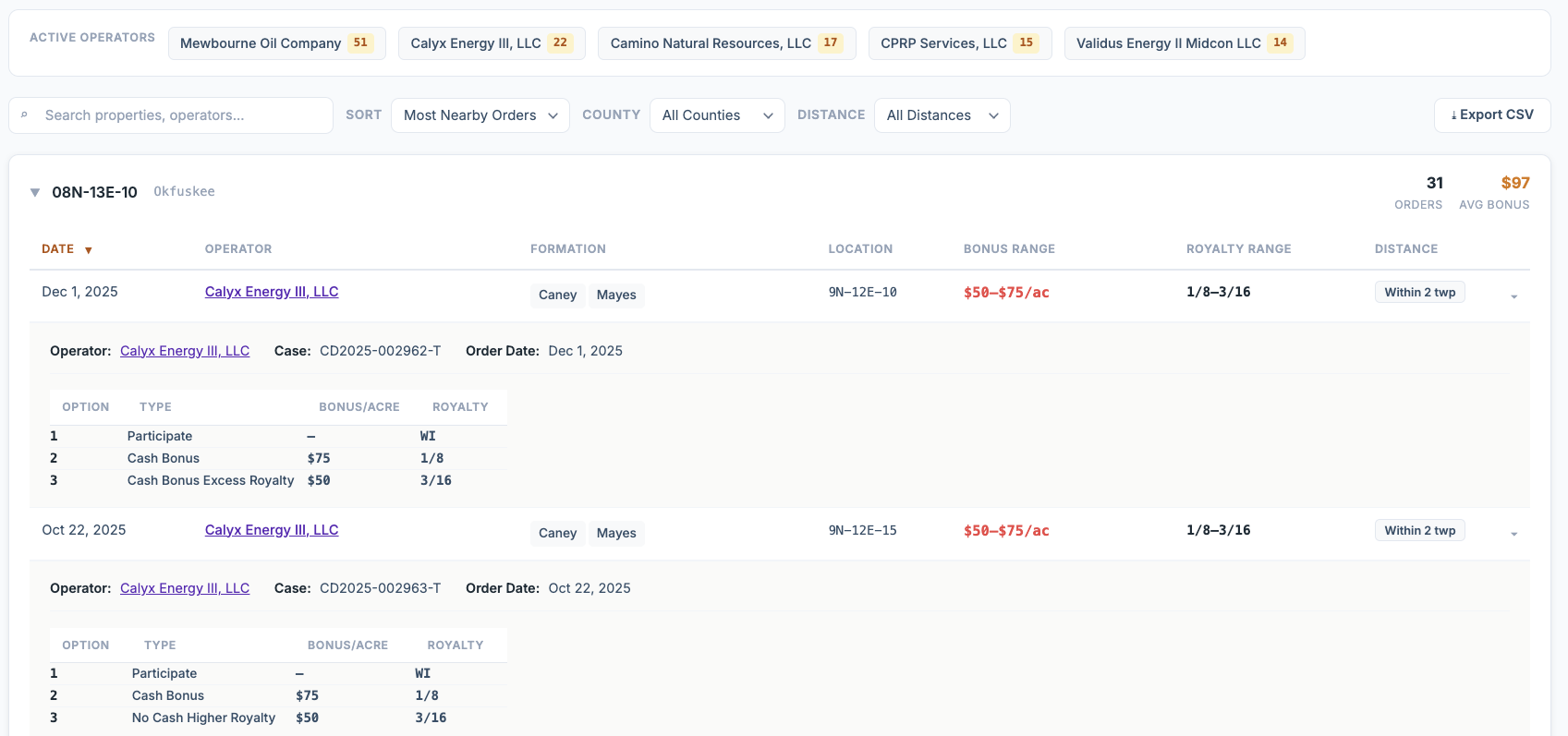
Pooling Benchmarking
Pooling orders and bonus options near your land, from Standard up. Pooling rates by county and statewide research are included with Professional.
Decline Curves
Track production decline over time on your wells. See how current output compares to initial rates and forecast future performance.
Residue Gas Deduction Audits
Audit post-production deductions across your royalty checks. Compare operator deduction rates and identify outliers.
Shut-In Detection
Designed to surface idle and shut-in wells on your properties. Know when production stops and how long wells have been inactive.
Operator Profiles
Primary counties, contact info, well counts, average deductions and active-to-inactive ratios. Standard and up. An operator's pooling orders appear in the map's operator window.
Heat Map Analytics
Visualize drilling intent, completion density, and OCC filing activity across your area with interactive township-level heat maps. Statewide heat maps are included with Professional.
What Professional Mineral Management Looks Like
The difference between monitoring your minerals and managing them.
Your Minerals Deserve Professional Management.
Start monitoring your Oklahoma mineral rights in minutes — not months.